
Expand seminars, training, and information sessions.
Web seminar (online seminar) is the best

Benefits
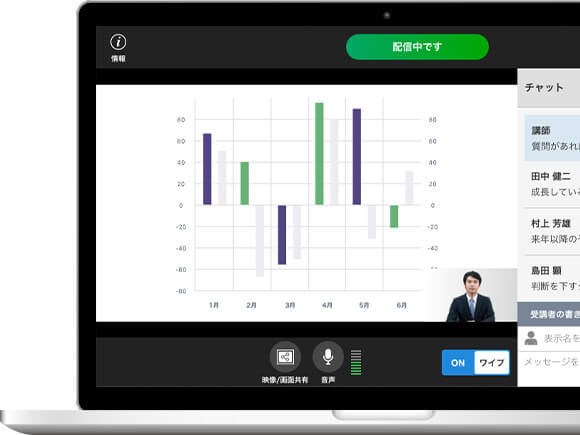
Exponentially extends reach
Enables participants to virtually congregate in your webinar room from wherever they are, eliminating travel time and the need to set up physical venues to accommodate large crowds, exponentially increasing your reach.
Increased understanding of webinar
Two-way communication between participants and speaker is established through the in-built chat and questionnaire functions. With this, participants remain invested in the session, which leads to rapid increase in understanding.
Largely eliminates costs and time expenditure
Forget going through the laborious process of securing a venue, paying for it, traveling to and from it, and preparing it to accommodate your purposes. V-CUBE Seminar takes all these out of your way so you are free to hold one any time you wish.
Effective application of video content
Videos are available on demand. Participants can access it any time thus allowing for more views.
Advantages

Connects up to 10,000 endpoints*
A powerful system that can sustain live webcasting to up to 10,000 endpoints*. It's the world's largest amount supported by a single system.

Use from anywhere in the world
Compatible with Windows, Mac OS, smartphones and tablets. Anyone from anywhere in the world that has the Internet can connect. Available in English, Chinese (Simplified) and Japanese.
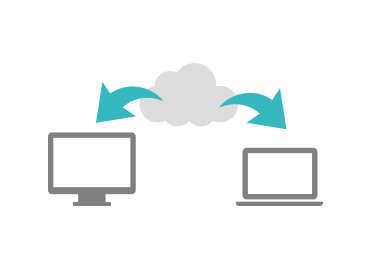
Always up-to-date and available to all
Installation of client software, configuration of network settings and maintenance not necessary. Simply log in to the cloud system to use the service in its most up-to-date form.
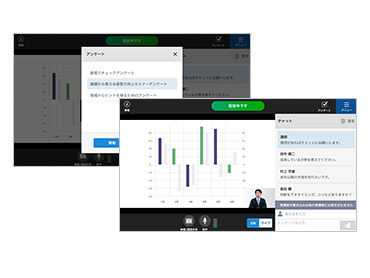
Increased understanding through chat and questionnaire functions
Through the chat function, participants ask questions to which the speaker answers. And through the questionnaire, the speaker is able to gauge how interested a participant is.
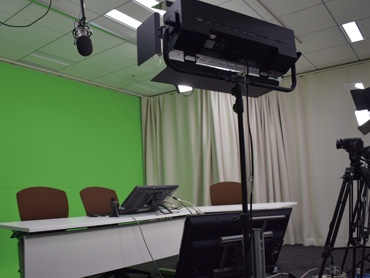
Webcast tech assistance and specialized studios
If you require assistance, we have staff who will follow up on every step of the webcasting process--before, during and after. And if you have need of an optmized environment to hold your webinar, we have specially outfitted studios just for that purpose.

High definition image
Encoded in H.264, image streamed during the webinar is clear and sharp.

Can be viewed without installation
It can be viewed not only on PC but also on iOS/Android terminals. Since it can be viewed on the browser, there is no need to encourage participants to install dedicated applications.
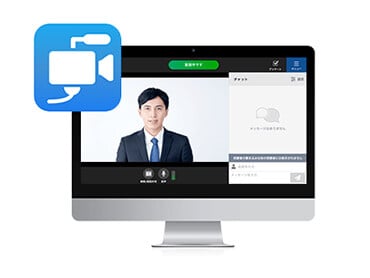
Video streaming delivery enhancements
In-house developed encoder "Video Streaming Studio" was added for the video streaming distribution method using HTML5 which will be the mainstream in the future. With this application, the distribution side can operate the distribution from start to finish, and intuitively operate the video during distribution, microphone settings, chat questionnaire, etc.
Why Choose Us?
No. 1 market share in web conferencing market in Japan*
We have been the market share leader* in web conferencing for 13 consecutive years. It is evident that people continue to turn to us as their brand of choice.
*Source: Seed Planning, Inc. “2020 Video Conference/Web Conference Latest Market and Video Communication Equipment/Service Trends”

High security
ASP/SaaS Information Disclosure certified. Framework created to safeguard corporate security.

Operational support
Pre-checks the network environment to preemptively resolves any foreseeable issues. An established operation framework to fully support all users.

24/7 Tech Support
24/7 tech support provided post-installation. Our team is available any time to timely resolve any issues from customers.
Service diversity
With V-CUBE One package, you will be able to freely access all of V-cube's services.